
SubItems Pro
Bulk create, clone, edit subitems and auto-sync data back to parents
SubItems Pro supercharges your monday.com workflow with bulk subitem operations and automatic rollup sync. Create, clone, and edit subitems across multiple items, then let Rollup keep parent columns in sync with subitem data — all without manual work.

Features#
Create Subitems in Bulk#
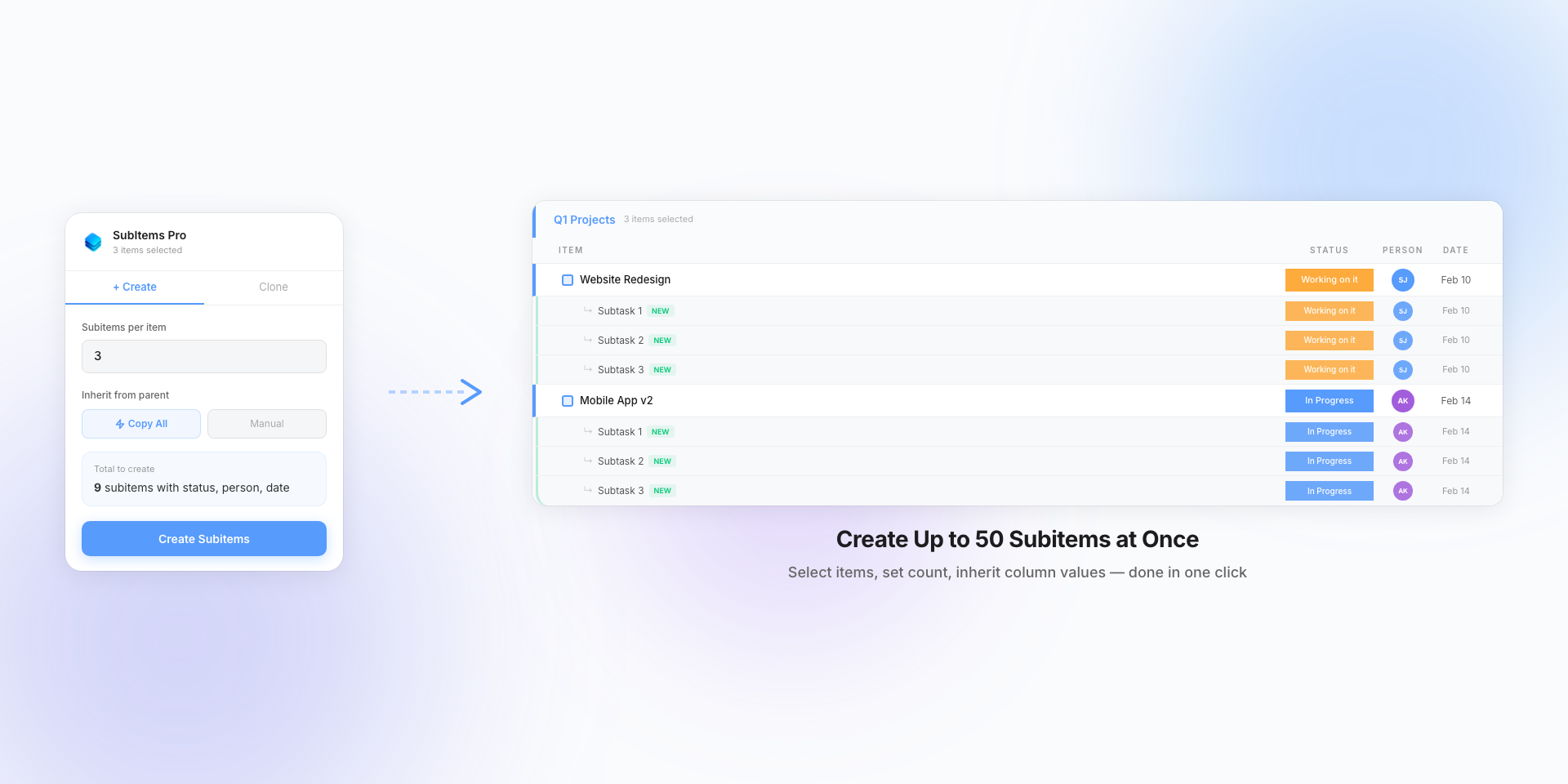
Select multiple parent items and create subitems across all of them in one operation. Choose how many subitems to add and watch them appear with progress tracking.
Save hours of manual work by automating repetitive subitem creation tasks. Perfect for setting up project templates or standardizing workflows across your team.
Clone Subitems with One Click#
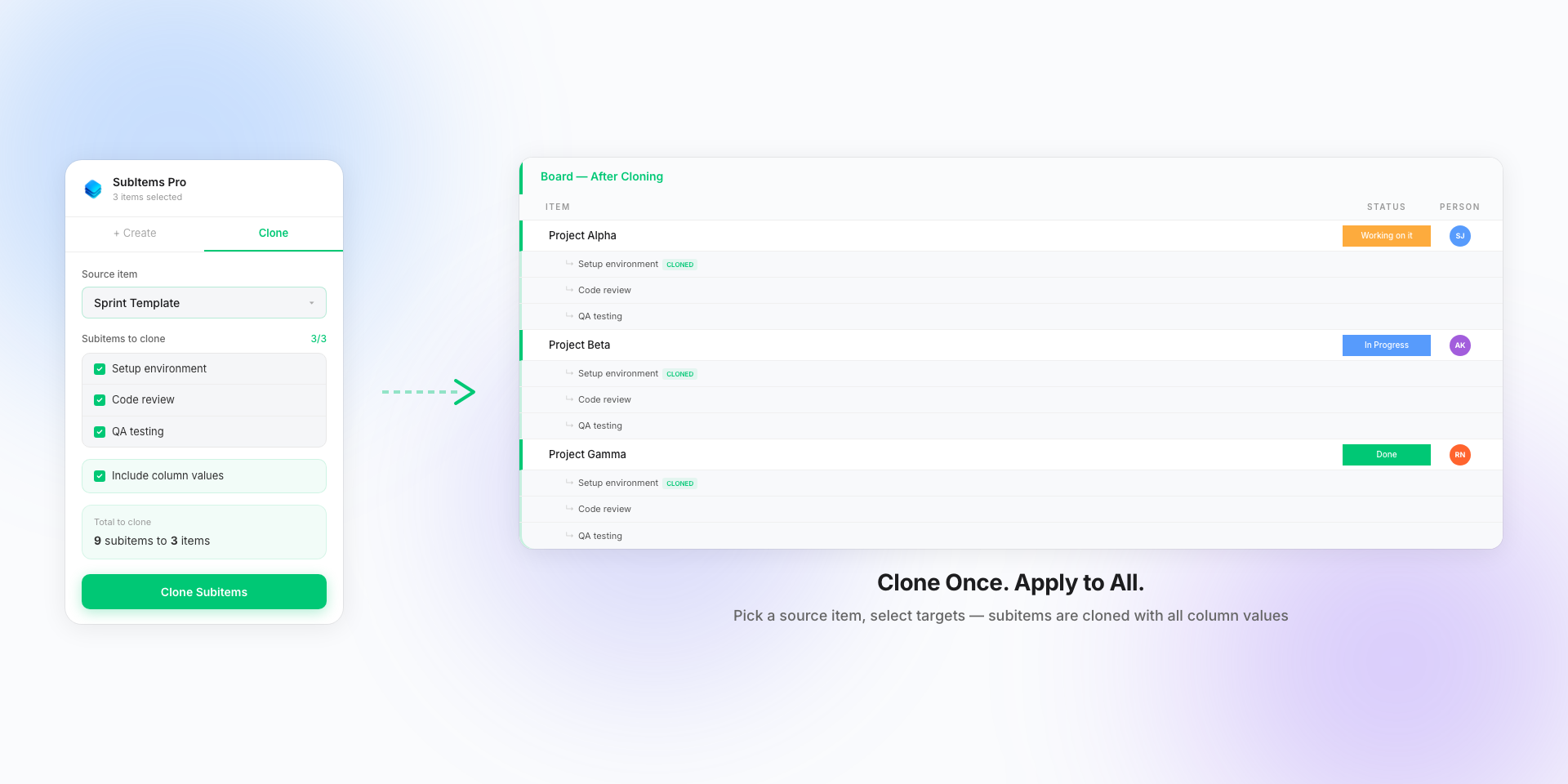
Have a template item with perfectly configured subitems? Clone them to any number of target items. Optionally preserve column values for complete duplication.
Maintain consistency across your boards by replicating proven workflows. Whether it's a sales pipeline, project checklist, or onboarding process, clone it with one click.
Smart Column Inheritance#
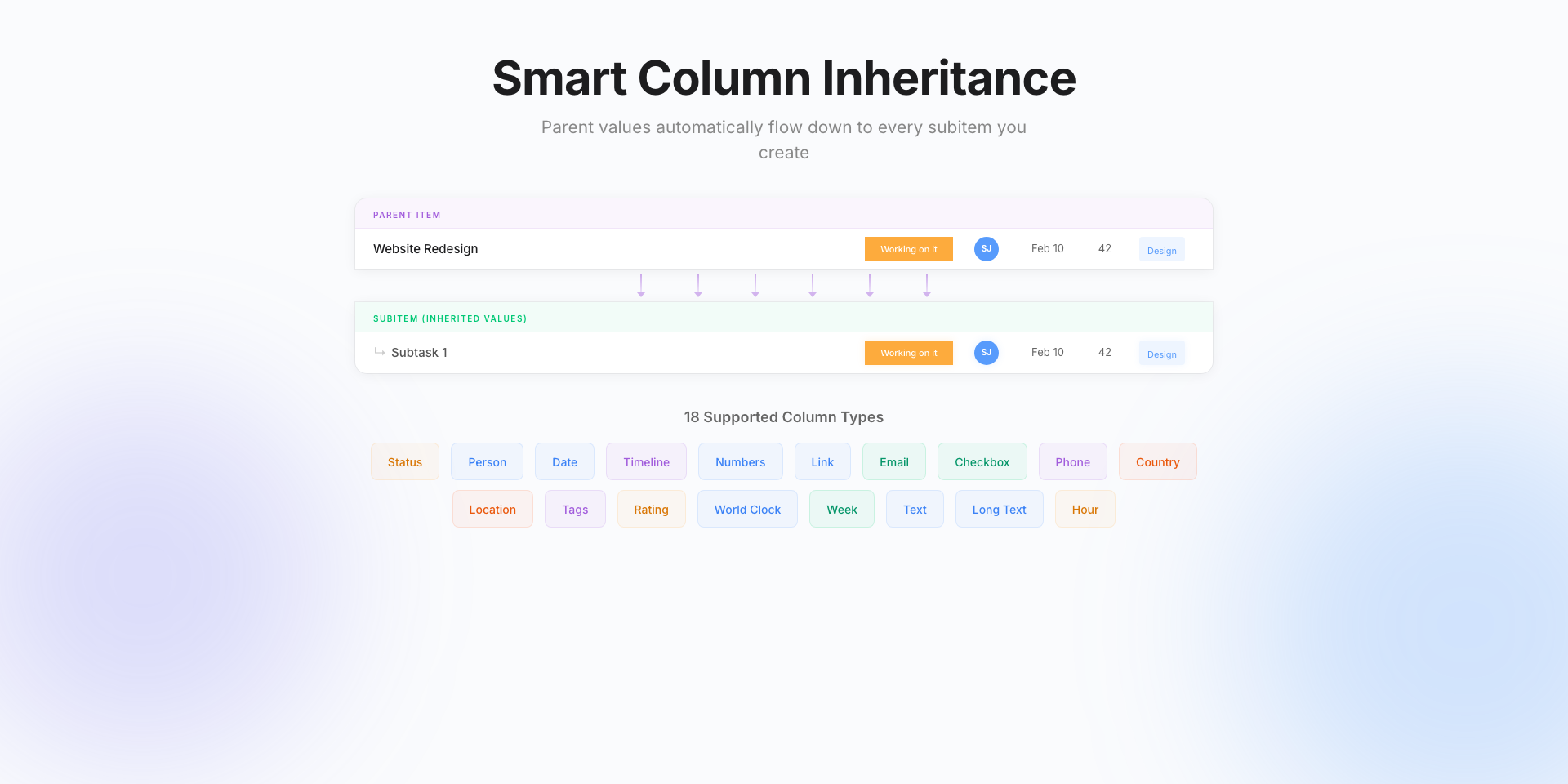
New subitems can inherit values from their parent items when enabled, maintaining consistency across your board.
Supports 18 column types including Status, Person, Date, Timeline, Numbers, Tags, Rating, and more. Missing columns are auto-created with matching labels and colors.
Bulk Edit Subitems#
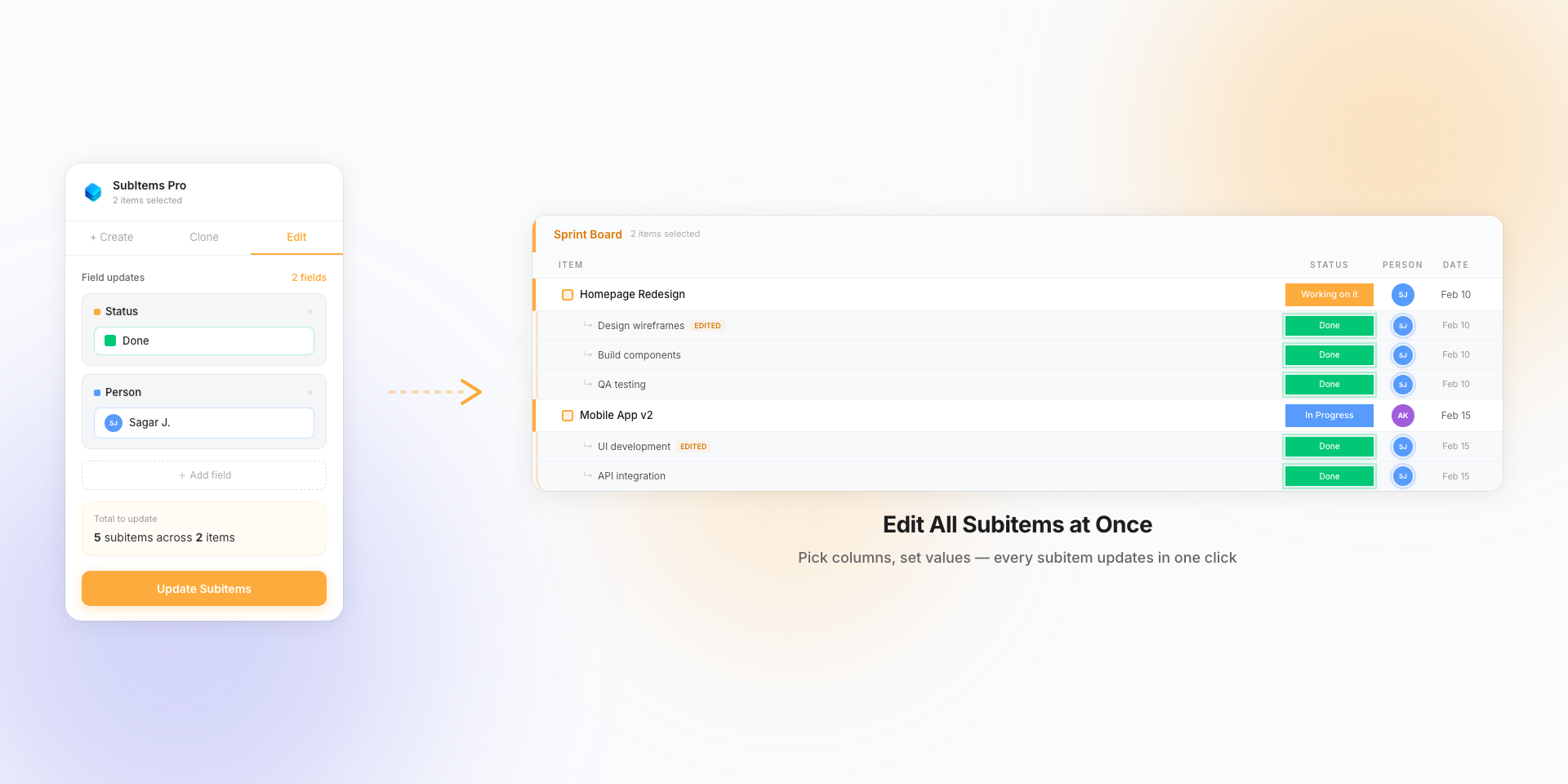
Update column values across all subitems of your selected items in one operation. Add multiple field updates — set status, assign people, change dates — and apply them all at once.
Supports 17 column types for editing including Status, Person, Date, Numbers, Text, Tags, Timeline, and more. Changes are batched for performance.
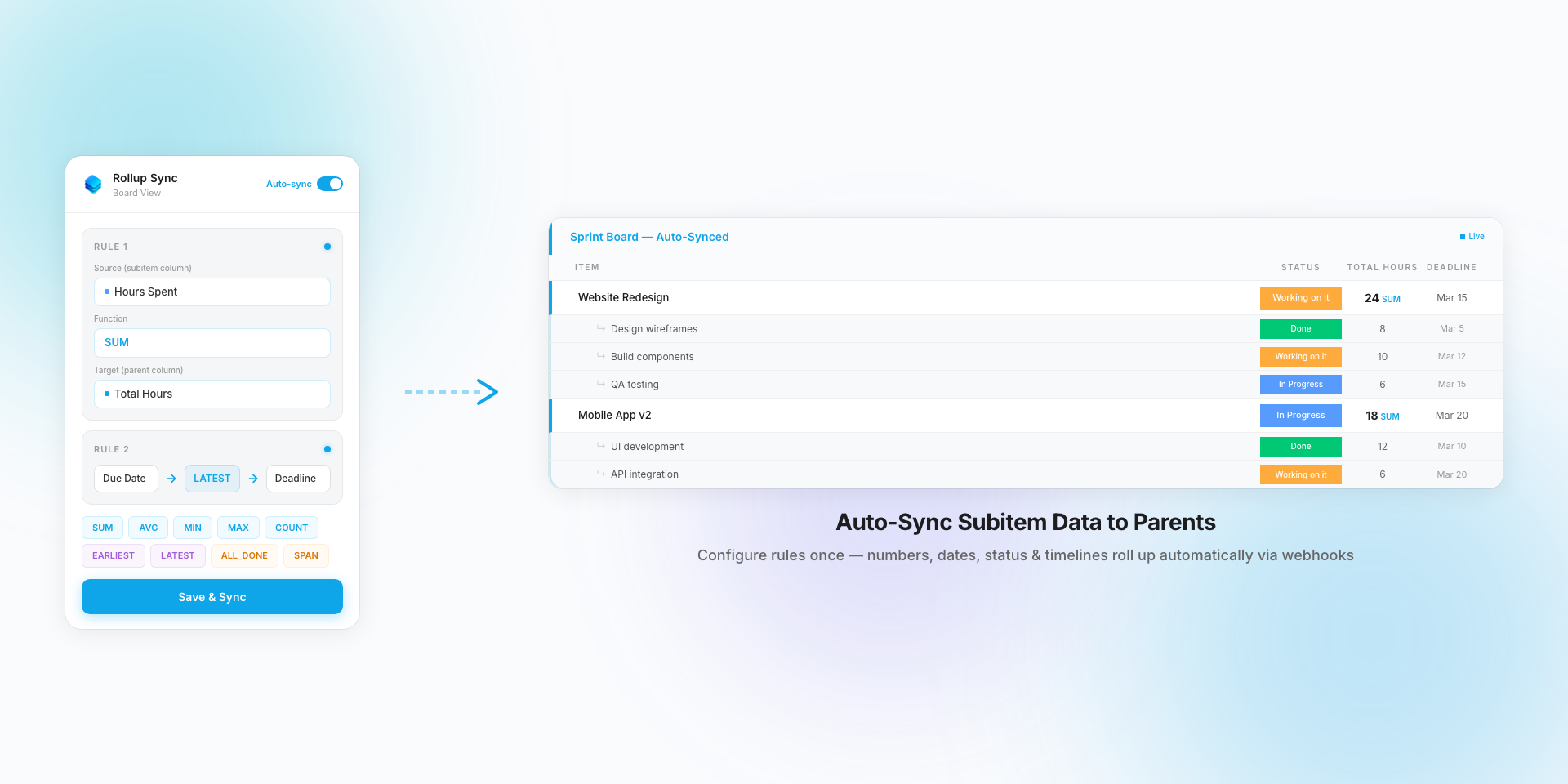
Rollup SyncNew
Automatically sync subitem data back to parent items via webhooks. Configure rules — map a source subitem column through an aggregation function to a target parent column — and let it run in the background.
Supports Numbers (SUM, AVG, MIN, MAX, COUNT), Status (ALL_DONE, MOST_COMMON), Date (EARLIEST, LATEST, COUNT_SET), and Timeline (SPAN, EARLIEST_START, LATEST_END).
Set up as a separate Board View — configure once per board and syncs are unlimited within your plan's board limit.
How to Use#
Select Items
Open SubItems Pro from any board and select the parent items you want to work with.
Choose Action
Use Create to add subitems, Clone to duplicate, Edit to bulk update, or Rollup to auto-sync.
Execute
Configure your options (count, inheritance) and click the action button to create or clone subitems.
Usage Limits#
Operations-based usage with generous limits per plan:
- Maximum 50 subitems can be created or cloned per operation per item.
- 1 subitem = 1 action — create, clone, and edit all count. Inheritance is free (part of create).
- Rollup syncs are unlimited within your plan's board limit — no per-sync charges.
- Free tier: 20 actions/month — try all features with no credit card required.
This app uses monday code – monday.com's SOC 2 and ISO 27001 certified, GDPR & HIPAA compliant app hosting infrastructure. Your data security and privacy are our top priority.
Simple, Transparent Pricing#
Pay for what you use. All plans include all features.
Start with a 14-day free trial at Pro level (5,000 actions) — no credit card required.
Subitem Actions#
Free
- All features included
- Create, clone, edit
- Rollup: 1 board, 1 rule
- Try the app
Basic
- All features included
- Rollup: 2 boards, 5 rules/board
- For solo project managers
Standard
- All features included
- Rollup: 10 boards, 10 rules/board
- For small teams
Pro
- All features included
- Rollup: 25 boards, 10 rules/board
- Best value for most teams
Business
- All features included
- Rollup: 50 boards, 25 rules/board
- For large organizations
Unlimited
- All features included
- Rollup: unlimited boards, 50 rules/board
- Power users & agencies
Rollup Sync — Per-Board Pricing#
Rollup uses a separate model: pay by active boards, not by sync count. Syncs within a board are unlimited.
| Plan | Boards | Rules / Board | Syncs |
|---|---|---|---|
| Free | 1 | 1 | Unlimited |
| Basic | 2 | 5 | Unlimited |
| Standard | 10 | 10 | Unlimited |
| Pro | 25 | 10 | Unlimited |
| Business | 50 | 25 | Unlimited |
| Unlimited | Unlimited | 50 | Unlimited |
All plans include all features. 14-day free trial at Pro level. Cancel anytime.